
 Search
 TradeStation foreign exchange brokers specializing in providing foreign exchange trading services, the company's official website https://www.tradestation-international.com/global, about the company's legal and temporary regulatory information, the company's address P03 The Old Power Station121 Mortlake High StreetLondonNoneSW14 8SNUNITED KINGDOM.
TradeStation Forex Broker
Rating Index

Company Profile


TradeStation Similar Brokers
Latest Reviews
Basic Information





TradeStation Forex Broker - Complete Information Guide
1. Broker Overview
TradeStation is a prominent online brokerage firm that has been operational since 1982. Originally founded as Omega Research, the company transitioned into a brokerage in 2001 and was rebranded as TradeStation. Headquartered in Plantation, Florida, TradeStation is a wholly-owned subsidiary of the Monex Group, a Japanese financial services firm. The company operates as a private entity and focuses primarily on serving active traders and institutional clients.
Over the years, TradeStation has evolved significantly, establishing itself as a leader in the online trading space. It has garnered a reputation for providing sophisticated trading tools, including advanced charting, strategy development, and automated trading capabilities. Some of the key milestones in its history include the launch of its flagship trading platform in 1991, the introduction of backtesting capabilities in 1987, and the development of its proprietary scripting language, EasyLanguage, which allows traders to customize their trading strategies.
TradeStation primarily caters to high-volume traders and those looking for advanced trading solutions. Its business model encompasses retail trading services across various asset classes, including stocks, options, futures, and ETFs.
2. Regulatory and Compliance Information
TradeStation operates under stringent regulatory oversight. It is regulated by several key authorities, including:
- Securities and Exchange Commission (SEC)
- Financial Industry Regulatory Authority (FINRA)
The firm is required to adhere to the regulations set forth by these authorities, ensuring compliance with industry standards. The regulatory licenses held by TradeStation include:
- SEC Registration Number: 8-35307
- FINRA Registration Number: 124006
TradeStation's regulatory licenses are valid indefinitely, subject to compliance with ongoing regulatory requirements. The company maintains a separate legal entity for clients in different regions, ensuring that it adheres to local laws and regulations.
One of the critical aspects of TradeStation's regulatory framework is its commitment to client fund segregation. This means that client funds are held in separate accounts, distinct from the company's operational funds, providing an additional layer of security for investors.
TradeStation participates in the Securities Investor Protection Corporation (SIPC), which offers protection for customers in the event of the firm's insolvency. The SIPC coverage limits are $500,000, including a $250,000 limit for cash claims.
To comply with anti-money laundering (AML) and know your customer (KYC) regulations, TradeStation implements robust verification processes for its clients. This includes identity verification and monitoring of transactions to detect any suspicious activity.
3. Trading Products and Services
TradeStation offers a diverse range of trading products and services tailored to meet the needs of its clients. The key offerings include:
- Forex Trading: TradeStation provides access to a wide array of currency pairs, allowing traders to engage in forex trading with competitive spreads.
- CFDs: The platform supports trading in various Contracts for Difference (CFDs), including indices, commodities, and stocks.
- Options Trading: With advanced tools for options analysis, TradeStation is well-suited for options traders looking to implement complex strategies.
- Futures Trading: The broker offers futures contracts across multiple asset classes, providing traders with opportunities to speculate on price movements.
- Cryptocurrency Trading: Although TradeStation previously offered cryptocurrency trading, it has since ceased these operations due to regulatory concerns.
The platform is known for its frequent updates and the addition of new trading instruments, ensuring that traders have access to the latest market opportunities. TradeStation also provides retail trading services, catering to individual investors, as well as institutional client services for larger entities.
4. Trading Platforms and Technology
TradeStation is renowned for its sophisticated trading platforms, which are designed to cater to both novice and experienced traders. The key features of its platforms include:
- MetaTrader Support: TradeStation does not support MetaTrader 4 or 5 but offers its proprietary platforms that are highly customizable.
- Desktop Trading Platform: The flagship desktop platform provides extensive tools for technical analysis, automated trading, and strategy development. It includes features such as the Radar Screen, which allows traders to monitor multiple securities simultaneously.
- Web-Based Trading Platform: This platform offers core functionalities similar to the desktop version but is more accessible for casual traders.
- Mobile Application: TradeStation offers a comprehensive mobile app available for both iOS and Android, allowing traders to manage their accounts and execute trades on the go.
The execution model utilized by TradeStation is primarily Direct Market Access (DMA), which enables traders to place orders directly into the market. The firm's servers are located in secure data centers, ensuring fast and reliable order execution.
TradeStation also supports API access, allowing advanced users to automate their trading strategies and integrate third-party tools for enhanced functionality.
5. Account Types and Trading Conditions
TradeStation offers a variety of account types to cater to different trading needs:
- Standard Accounts: These accounts require a minimum deposit of $0 and provide commission-free trading for stocks and ETFs, with options trading at $0.60 per contract.
- Advanced Accounts: For more experienced traders, TradeStation offers specialized accounts, such as VIP accounts, which may provide additional benefits and features.
- Islamic Accounts: TradeStation also provides Islamic accounts that comply with Sharia law, ensuring no interest is accrued.
- Demo Accounts: Traders can practice their strategies using simulated trading accounts, which allow them to trade with virtual funds.
The leverage offered by TradeStation varies depending on the asset class, with forex trading typically allowing higher leverage ratios. The minimum trade size and overnight fees are structured to accommodate active traders while ensuring competitive pricing.
6. Fund Management
TradeStation supports various funding methods to facilitate deposits and withdrawals:
- Deposit Methods: Clients can fund their accounts via bank transfers, credit cards, and electronic wallets. The minimum deposit requirement varies by account type but is typically $0 for standard accounts.
- Deposit Processing Time: Deposits are generally processed within a few business days, depending on the method used.
- Withdrawal Methods: Clients can withdraw funds through bank transfers and credit cards, with processing times typically ranging from 1 to 3 business days.
- Withdrawal Fees: TradeStation does not charge withdrawal fees; however, third-party fees may apply depending on the method used.
The broker's withdrawal policies are designed to ensure that clients can access their funds promptly while maintaining security.
7. Customer Support and Educational Resources
TradeStation offers a range of customer support options to assist its clients:
- Support Channels: Clients can reach out for assistance via phone, email, live chat, and social media platforms.
- Service Hours: Customer service is available Monday to Friday from 8 a.m. to 5 p.m. ET, covering most time zones.
- Multilingual Support: TradeStation provides support in multiple languages to cater to its diverse client base.
- Educational Resources: The broker offers a variety of educational materials, including webinars, tutorials, and eBooks, to help traders improve their skills and knowledge.
- Market Analysis Services: Clients have access to daily market analysis, news updates, and research reports to aid their trading decisions.
- Trading Tools: TradeStation provides various tools, including calculators, economic calendars, and trading signals, to enhance the trading experience.
8. Regional Coverage and Restrictions
TradeStation serves a global market, with a significant presence in the United States. The key aspects of its regional coverage include:
- Primary Markets: TradeStation primarily operates in the U.S. market but also offers services to clients in select international regions.
- Regional Offices: The broker has offices located in various countries, including Japan, Costa Rica, and the U.K.
- Restricted Countries: TradeStation does not accept clients from certain jurisdictions due to regulatory restrictions.
- Special Limitations: Specific trading products may be restricted in certain regions, ensuring compliance with local laws and regulations.
In conclusion, TradeStation is a well-established broker focused on providing advanced trading solutions for active traders and institutional clients. With a robust regulatory framework, diverse trading products, and sophisticated technology, TradeStation continues to be a leading choice for traders looking to enhance their trading experience. As the platform evolves, it remains committed to meeting the needs of its clients while navigating the complexities of the financial markets.
TradeStation Similar Brokers

Latest Reviews

A周六福蒲小妹
Hong Kong
At the beginning, I was told that the rebate was recharged. Later I said that the bank account was wrong, and the deposit was required.
Exposure
2021-03-26

FX2529675579
Thailand
Bank card input error, you need to hand over the unfreeze gold to withdraw, otherwise 5% of the account balance will be deducted
Exposure
2021-03-28

烟花易冷,人事易分。
Tunisia
Happy with this broker. My first trade with this broker. There is excellent support; good suggestions and follow-up, very low spread, and fast deposit and withdrawal. I’m happy with this broker.

Positive
2023-02-27

郭公子港美股IPO
Hong Kong
I know TradeStation used to be a good broker. I traded currency pairs with it one year ago, no slippage, and I did make some profits. However, recently, I saw some negative reviews about this broker. I guess this is normal…
Positive
2023-02-13
TradeStation
News
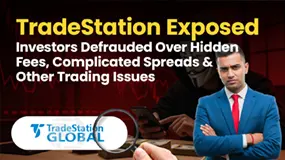
Exposure TradeStation Exposed: Investors Defrauded Over Hidden Fees, Complicated Spreads & Other Issues
Is your trading experience at TradeStation filled with hidden fees on deposits and withdrawals? Do you face unprofessional responses from its customer support officials? Have complicated spreads made your trading journey further complicated with TradeStation? These experiences strongly suggest that TradeStation operates with practices that are deeply unfavorable to traders, raising red flags about its reliability.

News TradeStation upgraded its Trade & Invest mobile app
TradeStation, broker recently announced a significant upgrade to its Trade & Invest mobile app. This upgrade aims to enhance the user experience and provide traders and investors with improved functionality and features.

News Plaid Partners with TradeStation for a Secure and More Efficient Client Journey
TradeStation Group, an online brokerage services provider, has partnered with data network provider Plaid. The collaboration allows users to securely link and fund their TradeStation accounts using Plaid’s API, enhancing user experience and security, and solidifying TradeStation’s growth and position in the trading industry.

News The Easiest Ways to Become Rich in the Stock Market
Investing in the stock market is one of the finest methods to build money around the globe. One of the stock market's key advantages is that there are several methods to benefit from it.

News April 2022: Top Options Trading Brokers and Platforms
While the majority of the brokers on our list of the best brokers for stock trading are also excellent options brokers, this list concentrates on brokers that excel in areas that are crucial to options traders. Many of the brokers on this list are also on our list of the best online trading platforms for day trading.
แคท266
Thailand
Unable to withdraw 3 amounts of money as shown in the picture.
Exposure
2023-12-25