
 Search
 BFX foreign exchange brokers specializing in providing foreign exchange trading services, the company's official website http://brotherforex.com/index.php?l=en, about the company's legal and temporary regulatory information, the company's address .
BFX Forex Broker
Rating Index

Company Profile


BFX Similar Brokers
Basic Information





BFX Forex Broker - Complete Information Guide
1. Broker Overview
BFX, officially known as Brother Forex International Limited, was established in 2017. The company is headquartered in the United Kingdom, with its primary operations reportedly located in Hong Kong. BFX operates as a private entity and primarily serves the retail forex market, catering to individual traders and investors.
Since its inception, BFX has focused on providing trading services in foreign exchange and contracts for difference (CFD). The broker has been granted a financial service license (license number: 0508893) by the National Futures Association (NFA) in the United States. However, it is essential to note that this license is currently marked as unauthorized, raising concerns regarding the broker's legitimacy.
Over the years, BFX has experienced various developments, including the addition of trading instruments and the expansion of its client base. Despite its relatively short operational history, the broker has aimed to establish itself in the competitive forex trading landscape. The company's business model primarily revolves around retail forex trading, offering a selection of currency pairs and CFD products.
2. Regulation and Compliance Information
BFX operates in a regulatory gray area, with no valid regulatory oversight from recognized authorities. The NFA license previously held by BFX is now considered unauthorized, which poses significant risks to potential investors. The absence of proper regulation means that BFX does not adhere to the stringent standards typically enforced by established financial authorities.
Key Regulatory Information:
- Regulatory Bodies: National Futures Association (NFA)
- License Number: 0508893 (currently unauthorized)
- Regulatory Status: Unregulated
- Client Fund Segregation: Not available
- Investor Compensation Fund: Not applicable
- KYC and AML Compliance: Not specified
Due to the lack of regulatory oversight, BFX does not provide the usual investor protections, such as segregated accounts for client funds or participation in compensation schemes that protect investors in case of broker insolvency. Traders should exercise extreme caution when dealing with unregulated brokers like BFX, as they may be exposed to higher risks, including potential fraud and mismanagement of funds.
3. Trading Products and Services
BFX offers a range of trading products, primarily focusing on the forex market. The broker provides access to approximately 37 currency pairs, allowing traders to capitalize on currency fluctuations. Additionally, BFX offers CFDs on various commodities, including precious metals like gold and silver.
Trading Products:
- Forex Pairs: Approximately 37 currency pairs, including major, minor, and exotic pairs.
- CFD Products: Contracts for difference on commodities and precious metals.
BFX's trading services are primarily aimed at retail clients, with a focus on providing a user-friendly trading experience. However, the broker's product offerings are somewhat limited compared to more established competitors in the market. The frequency of product updates and the introduction of new instruments have not been clearly documented, which may limit traders' options.
4. Trading Platforms and Technology
BFX supports the MetaTrader 4 (MT4) trading platform, a popular choice among traders due to its user-friendly interface and comprehensive analytical tools. MT4 is renowned for its capabilities, including advanced charting tools, technical indicators, and automated trading options through the use of Expert Advisors (EAs).
Platform Details:
- Supported Platforms: MetaTrader 4 (MT4)
- Web-Based Trading: Not specified
- Mobile Application: Not specified
- Execution Model: Not clearly defined
- Server Location: Hong Kong (specific details on infrastructure not provided)
- API Access: Not mentioned
While the availability of MT4 is a positive aspect, the lack of additional platform options or proprietary trading technology may limit the trading experience for some users. The broker's technological infrastructure and execution model remain unclear, which could affect trade execution quality and overall performance.
5. Account Types and Trading Conditions
BFX offers several trading account types tailored to different investor needs, although specific details regarding each account's features and conditions are limited.
Account Types:
- Classic Account: Minimum deposit of $250, spreads starting from 2 pips.
- Business Account: Minimum deposit of $5,000; specific features not disclosed.
- Premium Account: Minimum deposit of $50,000; specific features not disclosed.
Trading Conditions:
- Leverage: Up to 1:400, allowing traders to control larger positions with a smaller capital outlay.
- Minimum Trade Size: Not specified.
- Overnight Fees: Not clearly defined.
BFX does not currently offer a demo account, which is a significant drawback for new traders looking to practice their strategies without risking real capital. The lack of transparency regarding trading conditions, including spreads and commissions beyond the basic offerings, may hinder traders' ability to assess the overall cost of trading with BFX.
6. Fund Management
BFX supports various deposit and withdrawal methods, although specific details regarding processing times and fees are limited.
Supported Deposit Methods:
- Bank Transfers
- Credit/Debit Cards
- E-wallets: Not specified (popular options like Skrill and Neteller are not mentioned)
Minimum Deposit Requirements:
- Classic Account: $250
- Business Account: $5,000
- Premium Account: $50,000
Withdrawal Methods:
- Withdrawal Processing Time: Not specified
- Withdrawal Fees: Not detailed
The lack of clarity regarding deposit and withdrawal processes raises concerns about the overall transparency of BFX's fund management practices. Traders should be cautious and review any terms associated with their transactions, as hidden fees or delays could impact their trading experience.
7. Customer Support and Educational Resources
BFX provides customer support primarily through email and phone, but lacks comprehensive support channels such as live chat or social media engagement.
Support Channels:
- Email: info@brotherforex.com
- Phone: +44 203 514 2242
Service Hours:
- Not specified, but likely limited to standard business hours.
Language Support:
- Primarily English, with no indication of additional language support.
Educational Resources:
BFX does not offer extensive educational resources or market analysis services, which could be a disadvantage for beginner traders seeking guidance.
8. Regional Coverage and Restrictions
BFX primarily serves the Chinese market, but its operations are not limited to this region. The broker's geographic coverage is not explicitly defined, and there may be restrictions on accepting clients from certain countries.
Key Markets:
- Main Service Markets: China and potentially other regions, though specifics are not disclosed.
Restrictions:
- Countries Not Accepted: Specific countries are not listed, but traders should verify their eligibility based on local regulations.
In summary, while BFX offers a range of trading products and services, the lack of regulatory oversight, transparency in trading conditions, and limited customer support options raise significant concerns for potential investors. Traders are advised to conduct thorough research and consider the risks involved before engaging with BFX or any unregulated broker.
BFX Similar Brokers
BFX
News
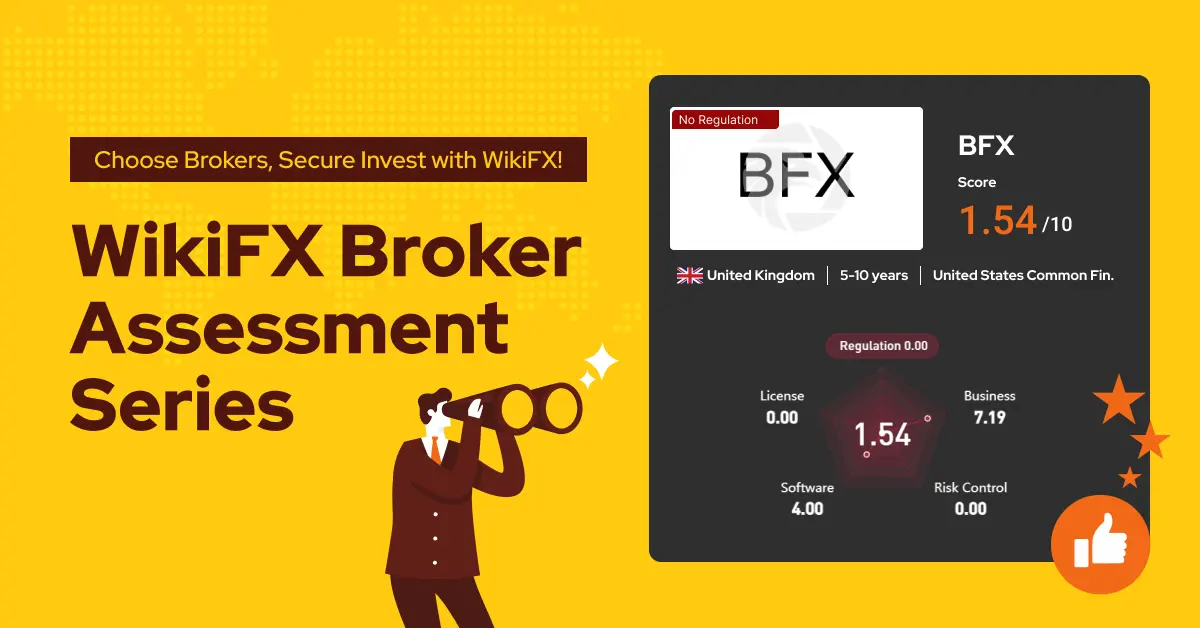
Exposure WikiFX Broker Assessment Series | Is BFX reliable?
In this article, we will talk about the characteristics of this broker from several aspects, providing you with simple and organized information.