

 Search
 Strike ProFx foreign exchange brokers specializing in providing foreign exchange trading services, the company's official website https://www.strikeprofx.com/, about the company's legal and temporary regulatory information, the company's address Suite 305, Griffith Corporate Centre, Beachmont, P.O. Box 1510, Kingstown, St. Vincent and the Grenadines.
Strike ProFx Forex Broker
Rating Index

Company Profile


Strike ProFx Similar Brokers
Latest Reviews
 Diverse range of tradable assets including forex, commodities, and cryptocurrencies Multiple account types catering to different trading styles and preferences Low minimum deposit requirement, allowing for easier access for new traders
 Lack of regulation raises concerns about the safety of funds and overall trustworthiness High potential risks associated with trading due to the availability of high leverage Limited customer support options and unclear withdrawal policies may lead to difficulties for users
Basic Information





Strike Pro Forex Broker - Complete Information Guide
1. Overview of the Broker
Strike Pro, officially known as Strike Profx Limited, was established in 2019. The broker is headquartered in Saint Vincent and the Grenadines, a location often associated with offshore financial services. As a private entity, Strike Pro caters primarily to retail clients looking to trade in various financial markets.
Over the years, Strike Pro has positioned itself as a player in the forex market, offering a range of trading instruments including currencies, commodities, and cryptocurrencies. The company has developed its platform to facilitate trading for clients worldwide, despite its unregulated status.
The development of Strike Pro has been marked by the introduction of multiple account types and the use of advanced trading platforms. However, the company has faced scrutiny due to its lack of regulatory oversight, which raises concerns about the safety of client funds.
The business model of Strike Pro focuses on retail forex trading, providing clients with access to various market instruments through its trading platform. The broker aims to attract traders by offering low minimum deposits and high leverage options.
2. Regulation and Compliance Information
Strike Pro operates without valid regulatory oversight, which is a significant concern for potential clients. The broker claims to be registered in Saint Vincent and the Grenadines, but this jurisdiction does not regulate forex brokers. Consequently, Strike Pro does not hold any licenses from recognized financial authorities, which is a red flag for traders.
Key Regulatory Information:
- Main Regulatory Authority: None
- Regulatory License Number: No valid regulatory information available
- License Validity and Scope: Not applicable due to lack of regulation
- Legal Entities in Different Regions: Strike Profx Limited, registered in Saint Vincent and the Grenadines
- Client Funds Segregation Policy: No information on fund segregation
- Investor Compensation Fund Participation: None
- KYC and AML Compliance Measures: Details on compliance measures are not specified
Given the absence of regulatory oversight, clients should be aware of the high risks involved in trading with Strike Pro broker, as there are no protections in place for their funds.
3. Trading Products and Services
Strike Pro offers a diverse range of trading products, catering to various trading interests. The broker provides access to multiple asset classes, including:
- Forex Pairs: A wide selection of major and minor currency pairs.
- CFD Products: Including commodities, stocks, and cryptocurrencies.
- Special Products: While specific unique offerings are not detailed, the broker claims to provide a comprehensive trading experience.
Trading Instruments Supported:
- Forex: Yes
- Gold: Yes
- Commodities: Yes
- Oil: Yes
- Stocks: Yes
- Cryptocurrencies: Yes
Strike Pro is known for its low minimum deposit requirement, allowing clients to start trading with as little as $1. The broker updates its product offerings periodically; however, specific details on new instruments or updates are not disclosed.
4. Trading Platform and Technology
Strike Pro utilizes the MetaTrader 5 (MT5) trading platform, a popular choice among traders for its advanced features and user-friendly interface. The platform is accessible on various devices, including mobile, desktop, and web applications.
Platform Features:
- MetaTrader 4/5 Support: Yes, primarily MT5
- Proprietary Platform Details: No proprietary platform mentioned
- Web-Based Trading Platform: Available
- Mobile Application: Supports iOS and Android devices
- Execution Model: The execution model is not explicitly stated but appears to be market making.
- Server Location and Technical Infrastructure: Servers are located in the United States, but specific technical details are not provided.
- API Access and Automated Trading Support: Information on API access is not available.
The use of MT5 allows traders to enjoy a variety of tools, including advanced charting capabilities, automated trading options, and a range of technical indicators.
5. Account Types and Trading Conditions
Strike Pro offers several account types to cater to different trading needs:
Account Types:
- Standard Account: Minimum deposit of $100, spreads starting from 0.5 pips, and no commission fees.
- Cent Account: Minimum deposit of $1, spreads from 1 pip.
- Investment/Master Account: Designed for copy trading, details on specific conditions are not provided.
Trading Conditions:
- Leverage: Up to 1:500 for certain accounts, but the maximum leverage for forex is 1:100.
- Minimum Trade Size: Starting from 0.01 lots.
- Overnight Fees: Specific policies regarding overnight fees are not disclosed.
The various account types and conditions are designed to attract both new and experienced traders, although the lack of regulation remains a significant concern.
6. Fund Management
Strike Pro supports several deposit and withdrawal methods, although details are somewhat limited:
Supported Deposit Methods:
- Bank Transfer
- Credit Cards: Visa, MasterCard
- Cryptocurrencies: Bitcoin and Tether
Minimum Deposit Requirements:
- Standard Account: $100
- Cent Account: $1
Deposit Processing Time:
- Bank Transfers: 2-5 business days
- Cryptocurrency: Within 24 hours
Deposit Fees:
- Information on deposit fees is not clearly specified.
Withdrawal Methods and Limitations:
- Withdrawals: Methods include bank transfer and cryptocurrency.
- Withdrawal Processing Time: Generally 2-5 business days for bank transfers and 24 hours for cryptocurrencies.
- Withdrawal Fees Structure: Not specified, but there may be fees associated with certain withdrawal methods.
The lack of transparency regarding fees and withdrawal conditions raises concerns for potential clients of Strike Pro broker.
7. Customer Support and Educational Resources
Strike Pro provides various channels for customer support, although the effectiveness of these services may vary:
Support Channels:
- Email: info@strikeprofx.com
- Phone: +66 0822244042
- Live Chat: Available on the website
Service Hours and Time Zone Coverage:
- Specific service hours are not mentioned, but support is likely available during standard business hours.
Multilingual Support:
- The primary language of support is English, but additional languages are not specified.
Educational Resources:
- Limited educational resources are available, with no specific mention of webinars, tutorials, or eBooks.
- Market Analysis Services: Daily analysis and updates are not confirmed.
Trading Tools:
- Basic trading tools such as calculators and economic calendars may be available, but specifics are not provided.
8. Regional Coverage and Restrictions
Strike Pro aims to serve a global market, but certain regions are restricted:
Primary Service Markets:
- The broker targets clients worldwide, particularly in regions where forex trading is popular.
Regional Offices:
- The company operates primarily from its headquarters in Saint Vincent and the Grenadines.
Countries Not Accepted:
- Notable restrictions include Canada (specifically British Columbia, Quebec, and Saskatchewan), Japan, North Korea, Iran, and the United States.
Special Restrictions:
- The broker's unregulated status may pose additional risks for clients in various jurisdictions.
In conclusion, while Strike Pro broker offers a range of trading products and services, the lack of regulation and transparency raises significant concerns for potential clients. Traders are advised to conduct thorough research and consider the risks associated with trading through unregulated brokers.
Strike ProFx Similar Brokers

Latest Reviews

FX1995015852
Thailand
Used it for 10 months Withdrawal is easy deposit is fast There are Thai staff to take care Withdrawal and deposit information will have email notifications at all times If you have any problems you can contact directly

Positive
06-07
FX8676369320
Thailand
Since I started using it, the system is easy to use / Withdrawals are real, as normal. Suitable for beginners learning to trade. There is an unlimited Demo account to try. There are Cent/Dollar accounts... easy to trade because of smooth charts, low spreads. Traders can easily make profits. The community here is very good. There are many activities for us to develop ourselves. And importantly, we got a lot of rewards. SBC camp is really really good. …I recommend everyone to come and try it yourself.
Positive
06-07

บี นธี
Thailand
Since using it, the charts here are very smooth, the spreads are not wide. TP or cutloss timing is quite accurate. This is the first broker where I have been able to make continuous profit. Easy and fast withdrawal 😍 In conclusion, very good💪
Positive
06-07
Strike ProFx
News
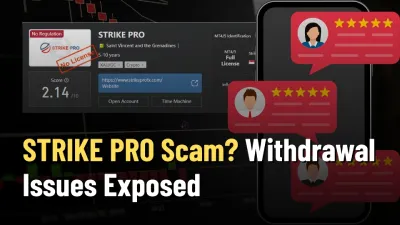
Exposure STRIKE PRO Scam? Unregulated Broker & Recent Withdrawal Issues Exposed
Is STRIKE PRO a scam? Discover the truth about STRIKE PRO’s unregulated status and recent withdrawal problems. Protect your investments – read our STRIKE PRO review now!
Exposure STRIKE PRO Review 2025: Safety, Features, and Reliability
STRIKE PRO (Strike ProFX) is an online brokerage established in 2019, with its headquarters located in Saint Vincent and the Grenadines. The broker focuses on providing a fully digital account opening experience and utilizes the MetaTrader 5 (MT5) platform. Despite its operational history, STRIKE PRO currently holds a WikiFX Score of
FX1257540033
Thailand
I made a profit trading, but then they blocked my account and won't even let me log into the website. The capital I had in there? Gone — completely vanished. This broker won’t even allow withdrawals after a profitable trade. It’s absolutely terrible. I can’t even get my original investment back, forget about the profits. Just return my initial capital first!
Exposure
01-06